Categories
Top News
- Jan 1, 2026 Philips Ambient Wearable Microphone Philips SpeechMike Ambient is engineered specifically to capture high-fidelity, single and multi-speaker audio in real-world environ- ments—perfect for AI transcription, conver- sational AI and ambient scribe scenarios in clinical, and virtual assistant functions.
- Aug 19, 2022 Philips Enterprise 8.0 and Dragon We are excited to announce the availability of Dragon Legal Anywhere and Dragon Professional Anywhere Law Enforcement to our SpeechExec Enterprise offering.
- Aug 16, 2022 SpeechLive - What's New?! Get the latest updates as to What is New with SpeechLive!
- Nov 11, 2021 Flexible Assignment in Philips SpeechLive In SpeechLive you can now link typists as well as teams of typists to different authors.
- Aug 16, 2021 Philips SpeechExec Enterprise 7.1 SpeechExec Enterprise 7.1 highlights Web Access • Recording function • Archive function • Support for Philips SpeechMike, Philips Device Connector & Foot control Speech to text service • Auto-restart speech recognition • Encrypted dictations in speech recognition Statistics Module
SpeechLive - What's New?!
Aug 16, 2022
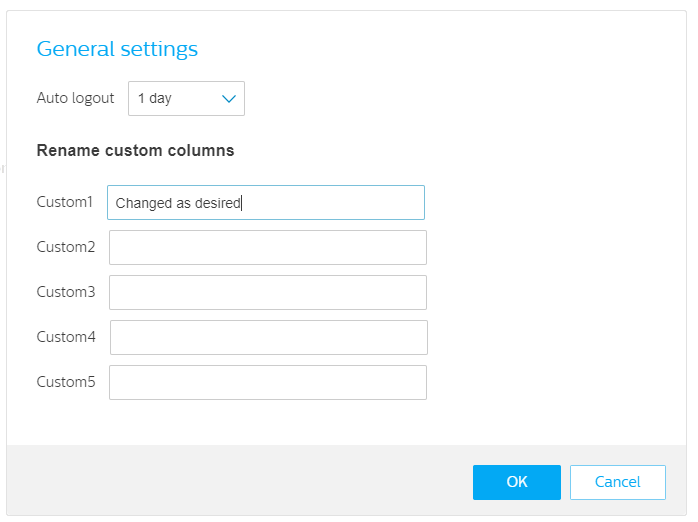
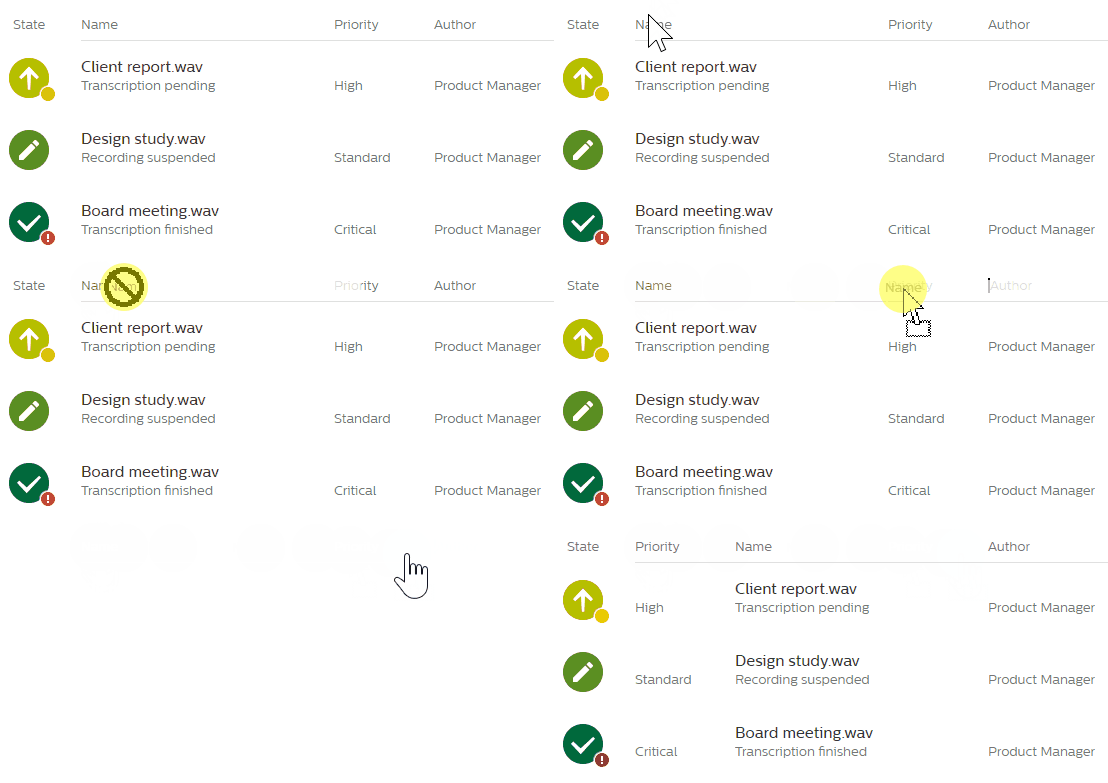
Rename custom columns
You can now rename the custom columns in the settings. Changing the name of the columns helps users to find the desired information in the respective custom fields faster and further customize it to their own needs.
 |
 |
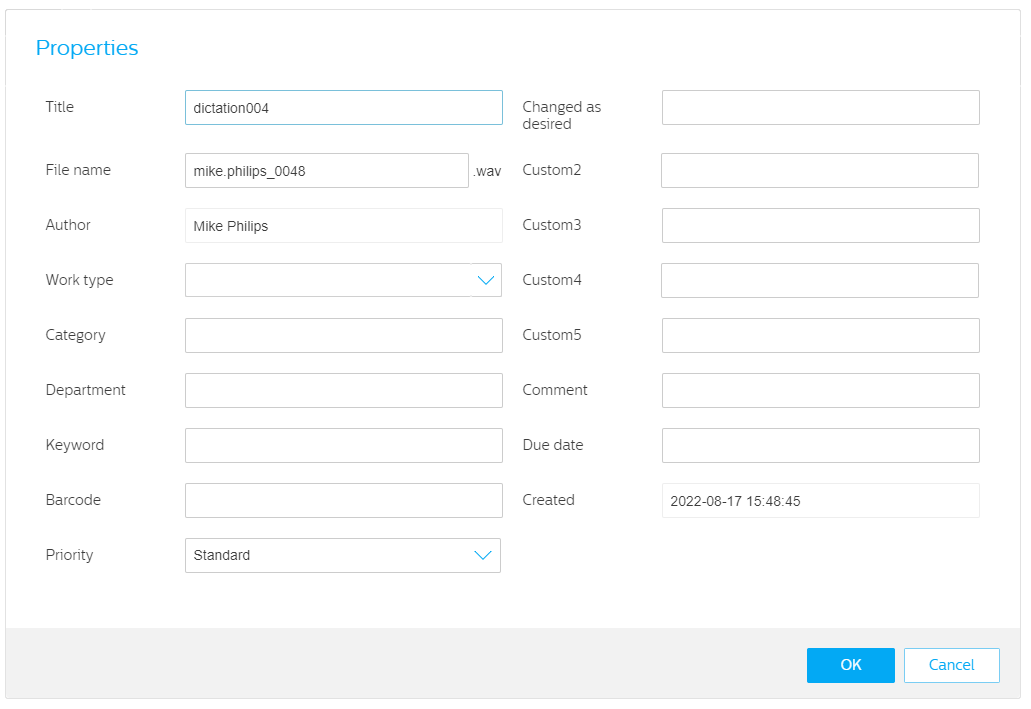
The changes are also visible in the dictation properties, to help users enter the correct data and stay consistent when entering data.
 |
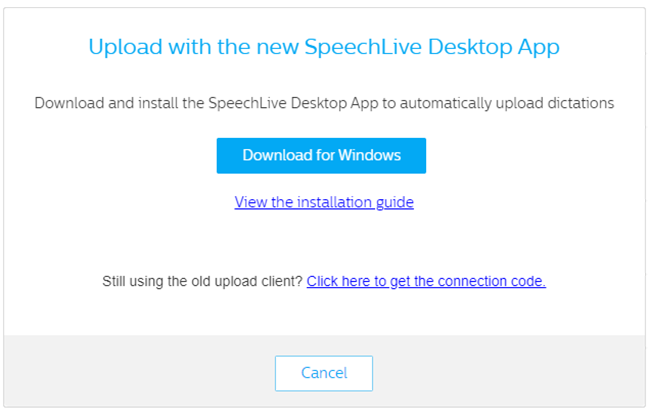
We improved the automatic upload screen and added the option to download the SpeechLive Desktop App. With only one click the users can download the latest version of the app, enabling them to automatically upload dictations to SpeechLive (the How to upload dictations with the SpeechLive Desktop App section covers this in more details).